Spark KB > Main Page
 English
Main Page
1) Cycle time and Intervention time :
This main page provides information on cycle time and intervention time in the mould "TCy" and "Ti":

2) Machine rearmament :
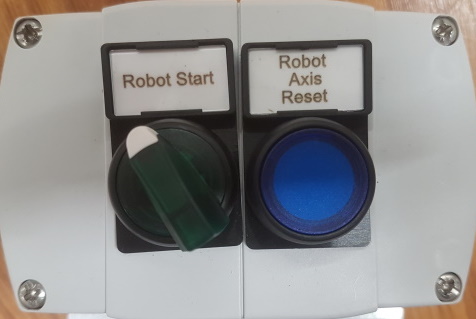
It is also possible to reset the machine from the "REARM" Panel View by pressing the "F1" key (F1, F2, F3 and F4 keys available below the Panel View), this function is identical to the blue physical push button :
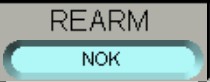
An indicator is available on the "REARM" to indicate whether the machine is powered or not (OK or NOK) :

OR
3) IML Function :
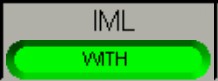
In the same way it is possible if the "IML" option is present, to enable or disable the "IML" function, the robot will pose or not pose the IML in the mold. This function also allows to place the "IML" in the loaders by deactivating the "IML" function :
OR

4) Conveyor Control :
The "Conveyor Control" push button has two different functions :
A short press of the push button, evacuates the current stack.
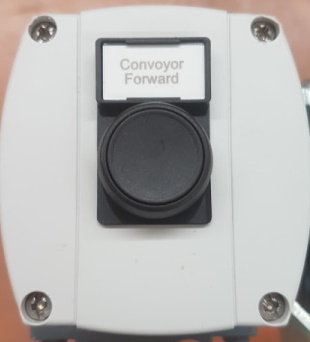
A long press of the push button, if the press is no longer in Automatic, evacuates the parts as long as the button held.
This function is identical to the back physical push button at end of conveyor :
5) Battery Undervoltage :
An alert message will occur if the battery(s) of the coder(s) (depending on the presence of the "IML" option) of the "Picking Parts" and "IML Arm" Axes, has less than 20% capacity. The battery(s) located in the electrical cabinet will need to be changed :
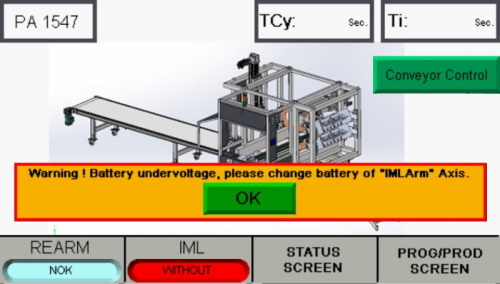
If the position of the encoders is lost, the machine will not be able to function without a resumption of the axes origins, see the page "AXIS HOMING".
6) Change Screen :
The "STATUS SCREEN" key give access to the "STATUS" screen and the "PROG/PROD SCREEN" key gives access to the "PROG DM" screen. To access these two screens, press the "F3" and "F4" keys :

Previous Page