Spark KB > STATUS
 English
STATUS
This screen allows the visualization of the number of cycles, the voltage and the current of the 24Vdc power supply, the information of the blocked G7 steps. It is also possible to access the "I/O" screen for live viewing of Inputs and Outputs.
1) Number of machine cycles :
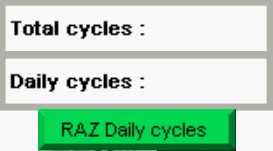
The total number of machine cycles is available in the "Total cycles" box. A second box is available with the cycle number "Daily cycles", which can be reset to 0 by pressing the "RAZ Daily cycles" key:
2) Current and Voltage 24Vdc Power Supply :
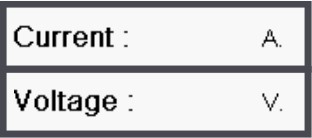
The voltage is displayed in the "Voltage" box, the unit is in Volt.
The intensity is displayed in the "Current" box, the unit is in Amps.
3) Viewing Inputs and Outputs :
Press the "F4" key to access the display of the PLC input and output maps on the "I/O STATUS" page :
4) Machine Cycle Blocked :
If the machine cycle is blocked, the following table will be displayed and the blocked steps will be displayed. If no G7 step of the subset is blocked, the "N/A" will appear.
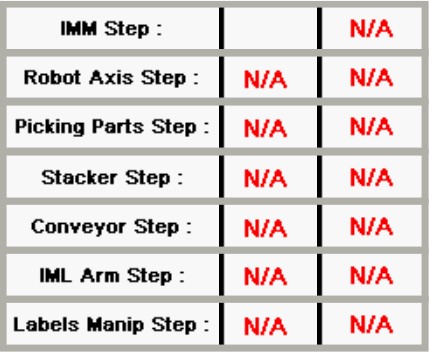
Disarming the machine or opening the press door or turning the "start robot" button to 0, will reset the blocked steps.
5) Diagnostic :
To diagnose the causes of blocked G7, click on the following links in the subsets :
IMM : "IMM STEP"
Robot Axis : "ROBOT AXIS STEP"
Picking Parts Axis : "PICKING PARTS AXIS STEP"
Stacker Axis : "STACKER AXIS STEP"
"IML" Option :
IML Arm Axis : "IML ARM AXIS STEP"
Labels Manipulator : "LABELS MANIPULATOR STEP"
Previous Page