Spark KB > Modification of the Parameters


Modification of the Parameters
This screen is locked and can be accessed only at technician level "TECH".
1) Modification of the Parameters :
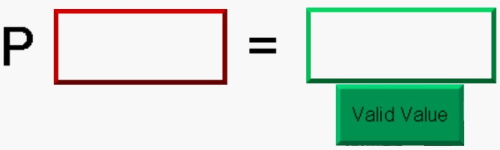
In the box in RED, indicate the number of the parameter then in the box in GREEN, fill in the value of the parameter and click on the "Valid Value" button to confirm :
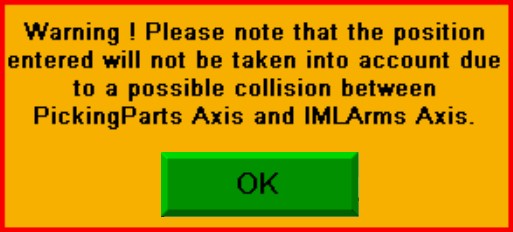
If
the settings for the positions are inconsistent (risk of collision),
the following message will be displayed and the values will not be taken
into account:
2) Types of Parameters :
There are 4 types of parameters :
Counters : The "counters" are in decimal.
Floats : The "floats" are in real. The unit of positions is in "mm", the unit of speeds is in "mm/s" and the unit of accelerations and decelerations is in "mm/s²"
Integers : The "Integers" are in decimal.
Timers : The "Timers" are in decimal. The unit of "Timers" is in "ms"
3) Access to parameters :
For Press parameters: see "IMM Parameters"
For Robot Axis parameters: see "Robot Axis Parameters"
For Picking Parts Axis parameters : see "Picking Parts Axis settings Parameters"
For Stacker Axis parameters : see "Stacker Axis Parameters"
For Conveyor parameters: see "Conveyor Parameters"
"IML" Option :
For IML Arm Axis parameters: see "IML Arm Axis Parameters"
For Labels Manipulator parameters: see "Labels Manipulator Parameters"